Radius attacks the path, proves it, and proves the fix.
Autonomous attack-path validation across IT, cloud and OT/ICS. Every finding ships with the chain that produced it, the change that collapses the most paths, and a re-attack the moment the fix lands.
Nine documents per run
Three reports (executive, technical, compliance), each at three levels: the whole run, a single asset, or a single finding.
A safety trail for every action
What was attempted, what was decided, why, and the rules of engagement in force at that moment.
A knowledge base that compounds
Configuration as found, how things connect, what was found before, and what changed since the last run.
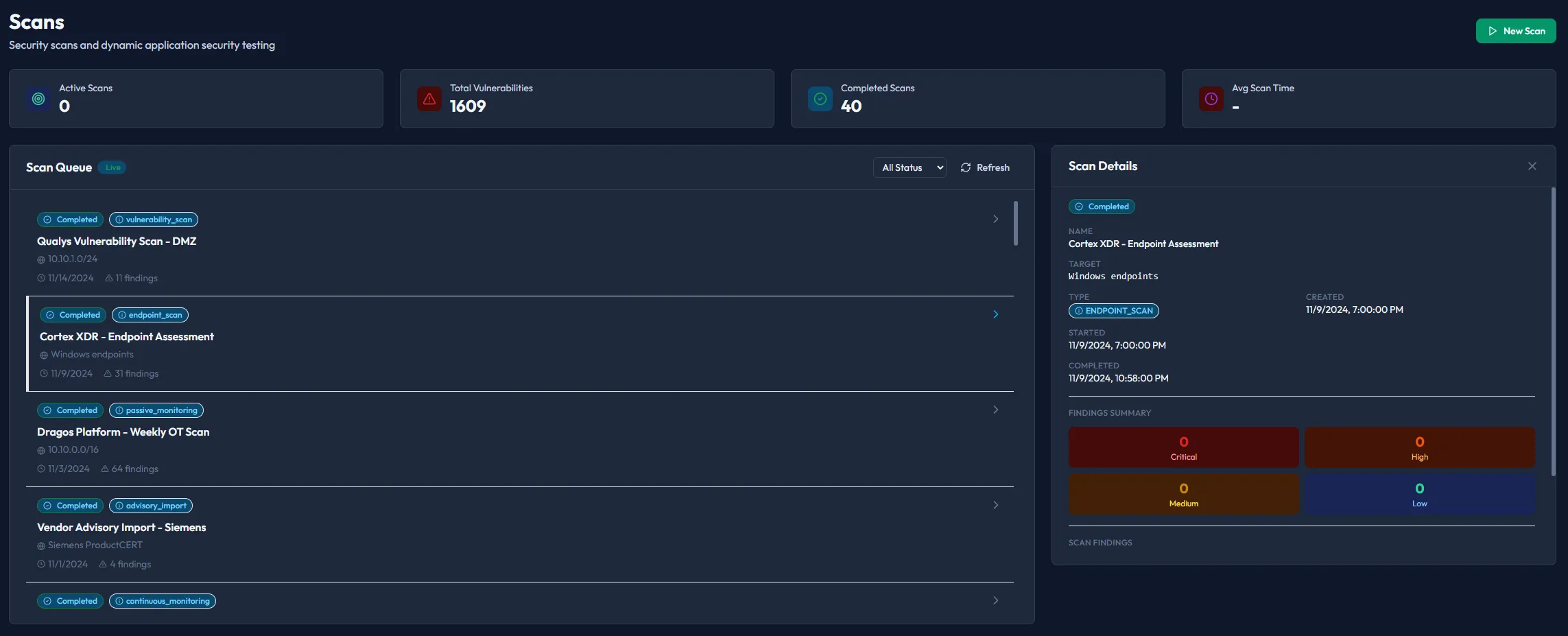
Observe
Assets, services, identities and dependencies, including what was never in the inventory. It starts passively, so nothing is written to a controller.
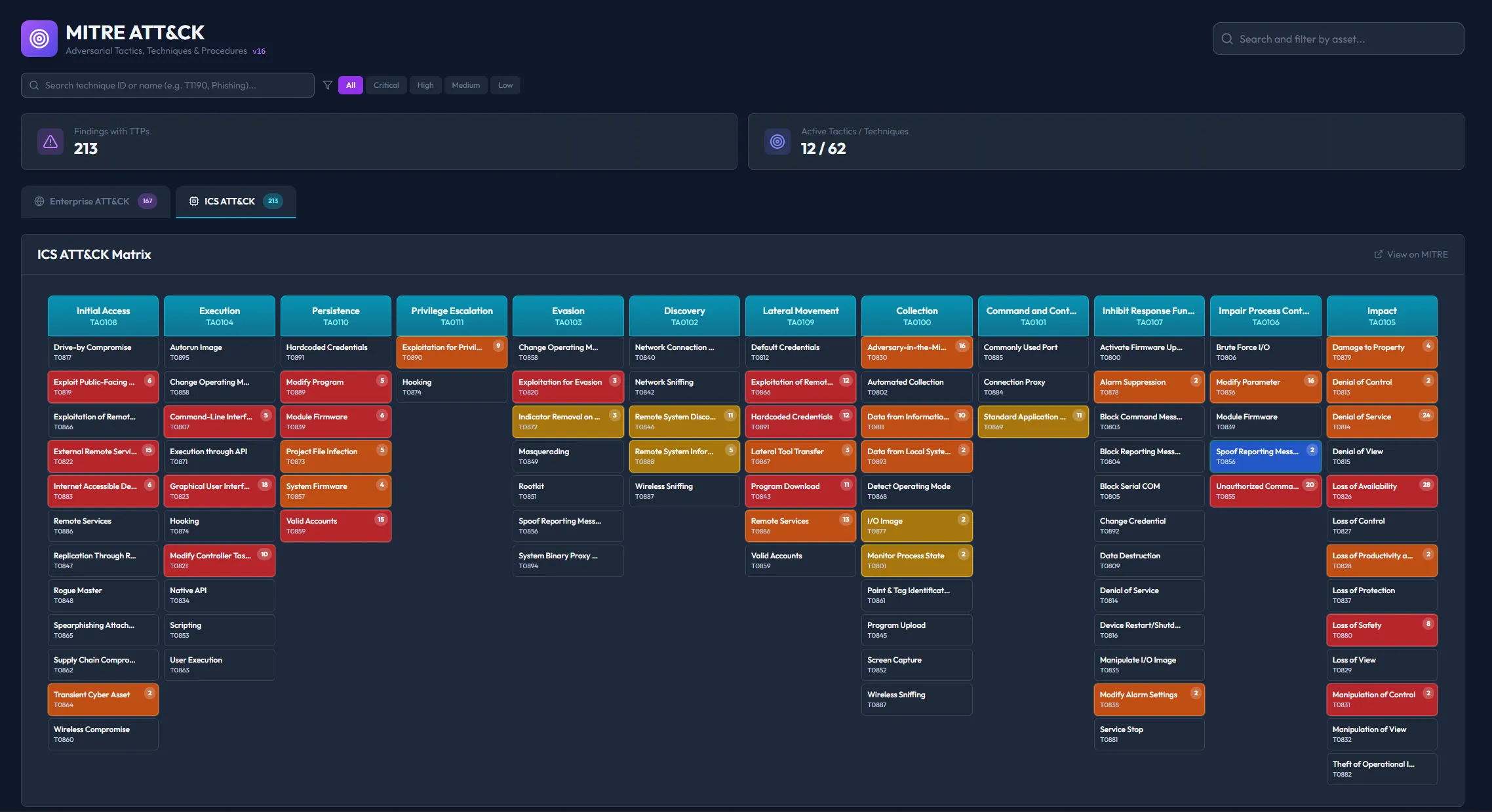
Reason
The attack graph decides what to try first by where each path leads, not by severity score.
- Every path traced to what it reaches
- Chains that share a hop share a fix
- MITRE ATT&CK technique mapping
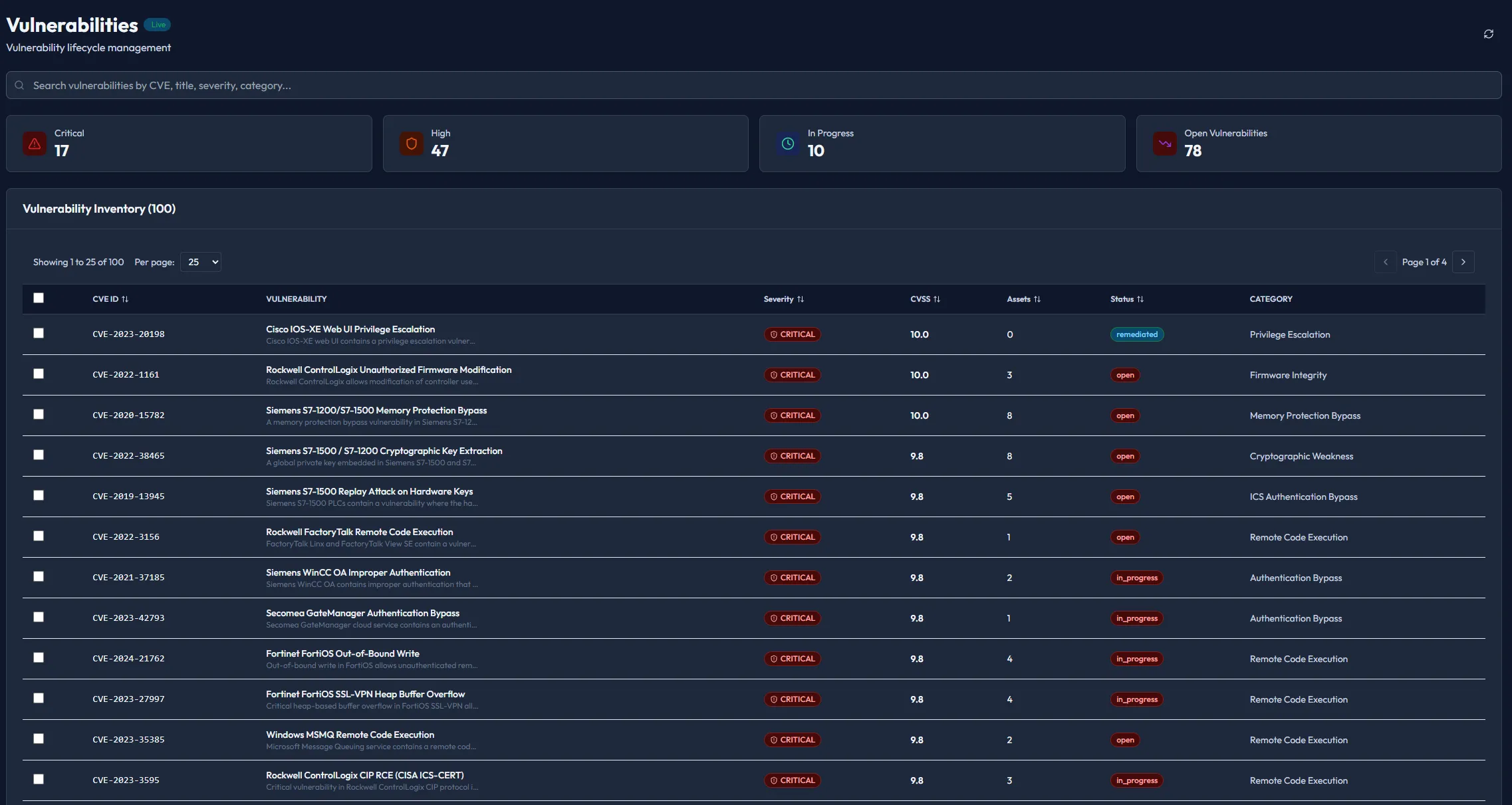
Attack, then validate
Radius runs the real chain against your environment, inside the rules of engagement you signed, and confirms how far it got. It stops before the destructive payload. Every action is logged with the decision and the rules in force at that moment.
See the platform in action
Real screens from the product, on demo data: discovery, autonomous testing, exposure analytics and the correlated attack graph.
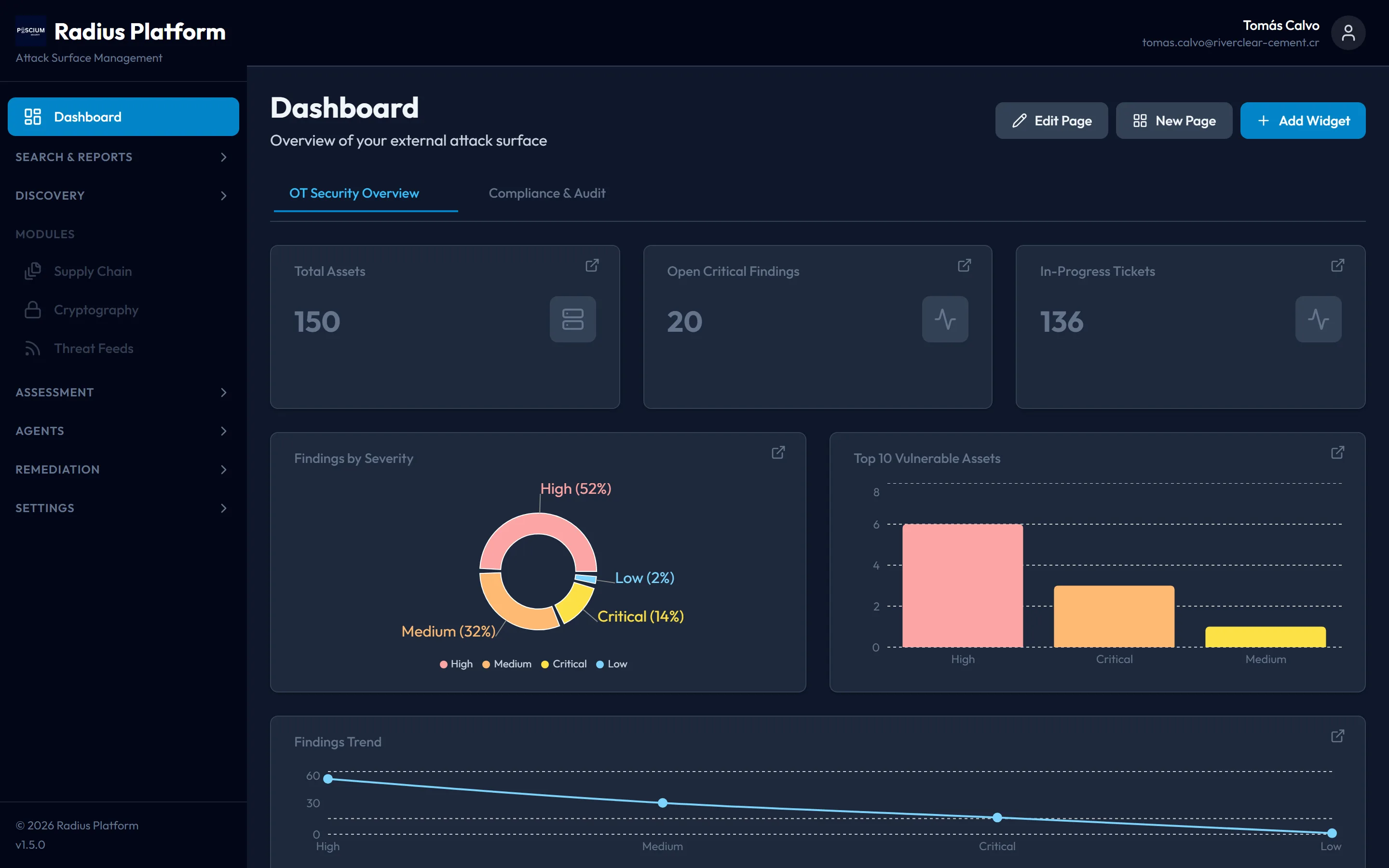
Roll up your whole exposure (assets, critical findings and remediation pace) on one configurable board.
Five steps, then the same path again.
Radius runs the same loop an attacker runs, and does not stop at the report. After you fix a path, it attacks that path again.
01
Observe
Discovers and watches the surface: assets, services, identities and dependencies, including what was never in the inventory. It starts passively, so nothing is written to a controller.
02
Reason
Builds the attack graph and decides what to try first, by where each path leads, not by severity score.
03
Attack
Runs the real chain against your environment, inside the rules of engagement you signed. It does not simulate it.
04
Validate
Confirms whether the path worked and how far it got. Stops before the destructive payload. Every action logged.
05
Report
Delivers reproducible evidence, the fix and the priority in three reports, each at three levels. After you fix it, attacks the same path again.
Safe enough for OT/ICS, so safe anywhere.
The controls were built for hardware you cannot reboot. They apply unchanged to a bank or a hospital.
- Passive discovery by default: no packet reaches a controller unless you authorize it, asset by asset
- No writes to controllers, and the attack stops at the point before impact
- Rules of engagement you sign, enforced by the engine before every action, with a stop button that works mid-run
- Autonomous testing aligned with the OWASP Autonomous Penetration Testing Standard (APTS)

Output your auditor can use
A run is only as useful as what survives it. Every run produces three reports (executive, technical, compliance), each at three levels: the whole run, a single asset, or a single finding. That is nine documents, so nobody has to reinterpret someone else's.
Executive
What was exposed and what changed after remediation. Written for people who do not run the tooling.
Technical
The validated paths, hop by hop, with the command, the timestamp and the evidence captured at each step.
Compliance
The run as control evidence: what was tested, when, under whose authorization, and with what outcome.
Alongside them: the safety trail
Every action an agent attempted, the decision taken on it, the reason, and a snapshot of the rules of engagement in force at that moment.
How you buy it
Pay for what you use. Start with a single scoped run (fixed scope, fixed price, re-validation included) or run Radius continuously. You supply the AI model key, or we do. The scope is the same and only the price differs.
- A single run: fixed scope, fixed price, re-validation included
- Continuous coverage: the run is credited if you continue inside the re-validation window
- Your AI model key or ours: same scope, different price
Frequently Asked Questions
How does Radius differ from a vulnerability scanner?
Is Radius safe to run against production?
Does it simulate attacks?
What standard does Radius follow?
How long does a run take?
Go deeper
The capabilities in detail, the run end to end, and the integrations that ship, each with its own page.
Start with one run.
A scoped run against the environment you authorize. It starts with a 30-minute call. The rules of engagement are signed before the run does.
Scope a run